Hearth and Hamlet Research and Upgrades Guide
Choose useful research, unlock later building tiers, spend blueprints wisely, and fix locked upgrades in Hearth and Hamlet.
Quick answer
- Prioritize the research or building upgrade that opens the next required capability.
- Buy production and storage research only when that resource or cap blocks an active goal.
- Check the related building, blueprint tier, and story objective when research stays locked.
- Use current in-game requirements because Demo research rewards and balance changed before release.
I Fully Upgraded my Kingdom to RULE EVERYTHING!
See a developed kingdom work through building-linked research, blueprint tiers, production upgrades, storage limits, magic, and a final audit of unfinished branches.
Continue reading
These related Hearth and Hamlet pages answer the next questions around this topic.
Choose Research by the Next Capability
The best Hearth and Hamlet research choice is the one that removes the dependency blocking your next objective. A permanent unlock for a required building, blueprint tier, policy, trade option, or magic system normally matters more than a small bonus to a resource that is already abundant.
Use this priority order when several research choices are available:
| Priority | Choose it when | Delay it when |
|---|---|---|
| Prerequisite or system unlock | The current objective names the building, policy, blueprint, trade, or magic branch | You cannot yet afford or support what it opens |
| Production | A required resource rises too slowly for several upcoming costs | The resource already reaches its cap between purchases |
| Storage | The next purchase exceeds capacity or workers repeatedly hit a full bar | The stockpile stays below its cap |
| Worker capacity | You have population ready to fill the added jobs | Food is unstable or no workers are available |
| Optional efficiency | The main progression chain is open and the economy has a reserve | A required unlock still competes for the same resources |
Treat every locked research node as a dependency question before you treat it as a resource problem. Waiting longer cannot solve a missing building tier, blueprint source, or story requirement.
Follow the Building-to-Research Loop
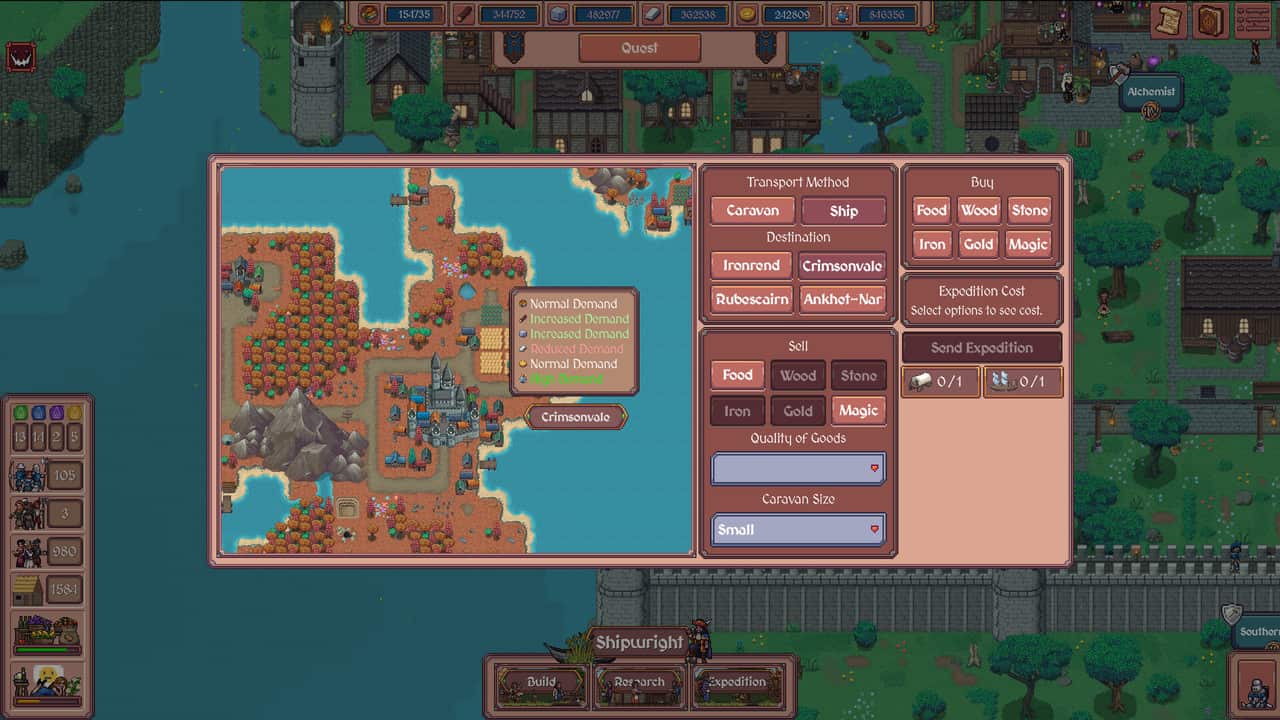
Research is tied to settlement development. Building upgrades feed permanent research, and those research branches can reveal advanced buildings, policies, magic, shop options, and later upgrades. Launch-window gameplay also shows research organized around different building-linked pages, so completing one visible branch does not mean the whole research system is finished.
- Pick the next capability you actually need and identify the building associated with it.
- Open that building's Research and Build views, then read every listed prerequisite.
- Buy the prerequisite research that advances the branch instead of clearing cheap unrelated bonuses.
- Upgrade the related building when the next research or blueprint tier depends on its level.
- Reopen the research view and confirm which new node, shop item, or capability appeared.
Some branch changes require both research and construction. The research can make a capability available while the building upgrade supplies the place, tier, or capacity needed to use it. Check both views before assuming the game is asking only for a larger stockpile.
Spend Blueprints Where They Open a New Tier
Blueprints can gate later building upgrades and the research those buildings expose. The strongest use is an upgrade that opens a missing tier or capability. Spending one on a branch with no current purpose can delay every project that needs the same blueprint level.
Before committing a blueprint, compare the result with the current bottleneck:
- Upgrade production when that resource blocks repeated objectives, research, or construction.
- Upgrade storage when the required purchase cannot fit or workers repeatedly stop at the cap.
- Add worker capacity when enough population and Food exist to staff the new jobs.
- Open trade, magic, policy, or defense branches when the current objective depends on them.
- Save the blueprint when the upgrade adds capacity you cannot use yet.
A useful upgrade shortens the route to the next capability. After buying it, restore the resources used for the purchase before opening another expensive branch.
Fix a Locked Research or Upgrade
When a button remains unavailable, inspect the dependency chain in this order. This is faster than continuing to gather every resource equally.
| What you see | What to check | Next action |
|---|---|---|
| Research is visible but unavailable | Prior research on the same building page | Complete the branch prerequisite first |
| A building needs a blueprint you cannot obtain | Story objective, research-building tier, or blueprint shop access | Advance the active objective and recheck the related research building |
| New research never appears | The associated building still has an upgrade available | Upgrade that building, then reopen its research page |
| The requirement is above your capacity | Storage research or a storage-building upgrade | Raise capacity before adding more production |
| The upgrade adds jobs you cannot fill | Population, housing, Food, and current assignments | Stabilize labor before paying for empty slots |
| A late system drains progress | Its production input or supporting trade branch | Improve the input first or pause the optional system |
Release-day footage shows blueprint gates that only clear after further story progress. If the needed blueprint has no visible source, follow the active objective before assuming the save is stuck.
Audit the Research Book by Outcome
Do not audit research by counting filled icons alone. Review every building-linked page and ask what the unfinished node would change.
- Check capability branches for buildings, policies, trade, magic, and defense you still plan to use.
- Check production only for resources that remain active bottlenecks.
- Check storage where caps interrupt saving or automated output.
- Check worker capacity where population is available to fill new jobs.
- Check blueprint and building tiers that expose a later research page.
- Leave optional bonuses until the required branches and their supporting economy are stable.
The official Demo update rebalanced many research rewards before full release. Use the current in-game cost and effect when comparing two nodes, and use older videos only to understand the dependency pattern.